Diwali Photo Prompts for Girls (2026): 8 Saree & Lehenga Looks for Gemini, ChatGPT and Grok
Diwali night is when everyone wants that one perfect photo: diyas glowing, rangoli at your feet and an outfit that deserves to be seen. These eight prompts turn one clear selfie into a festive portrait, with no studio and no photographer.
Every prompt asks the app to keep your face exactly as it is and only changes the outfit, setting and light. Each card shows the app used for its sample image, but all eight work in Gemini (Nano Banana), ChatGPT and Grok.
How to use these prompts
- Tap Copy prompt under the look you like.
- Open Gemini, ChatGPT or Grok and upload a clear photo of yourself.
- Paste the prompt and send it.
- Want a change? Reply with one small edit at a time, like “make the outfit deep maroon”.
8 Diwali photo prompts for girls
1. Diya Glow Silk Saree
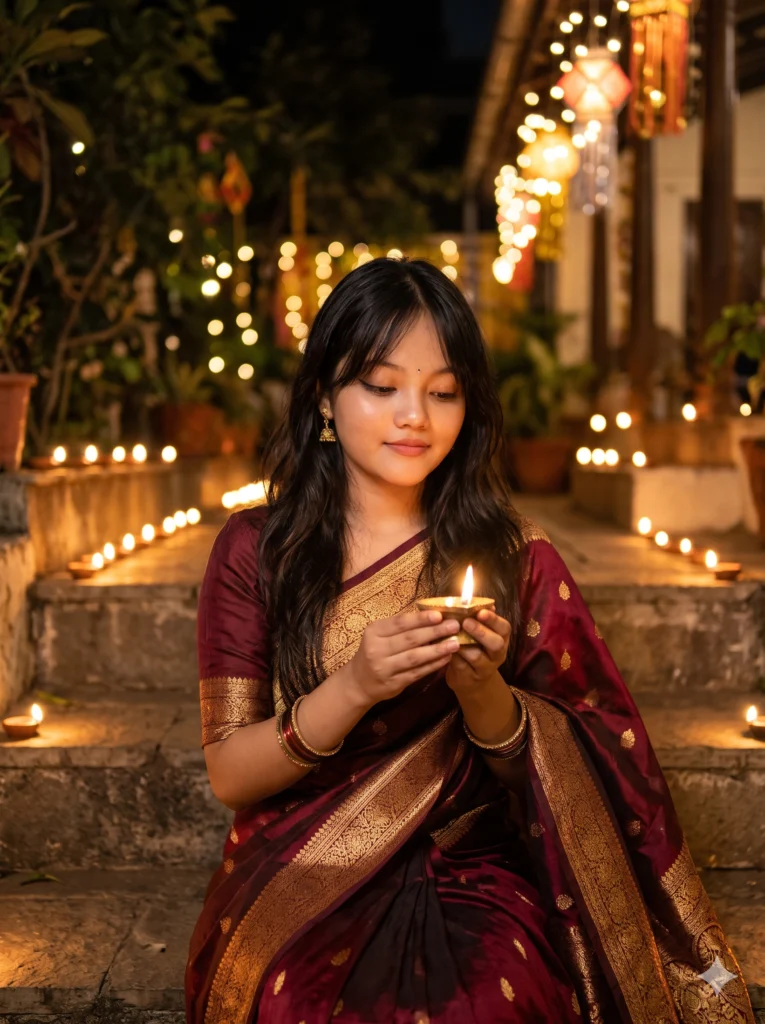
Use my uploaded photo as the only reference for my face and keep my features, skin tone and hairstyle exactly the same. Create a vertical 3:4 portrait of me sitting on the stone steps of a courtyard on Diwali night, wearing a deep maroon Banarasi silk saree with a wide gold zari border and an elbow-sleeve blouse. I hold a lit brass diya close to my chest with both hands and its warm light falls softly on my face. Rows of clay diyas line the steps behind me and fairy lights glow as soft bokeh. Small gold jhumkas, a thin bindi and a few glass bangles. 85mm lens at f/1.8, warm golden tones, natural skin texture, photorealistic, no text.
Tip: If the light looks too orange, add: “balance the white light so my skin looks natural”.
2. Rangoli Top-Down Shot
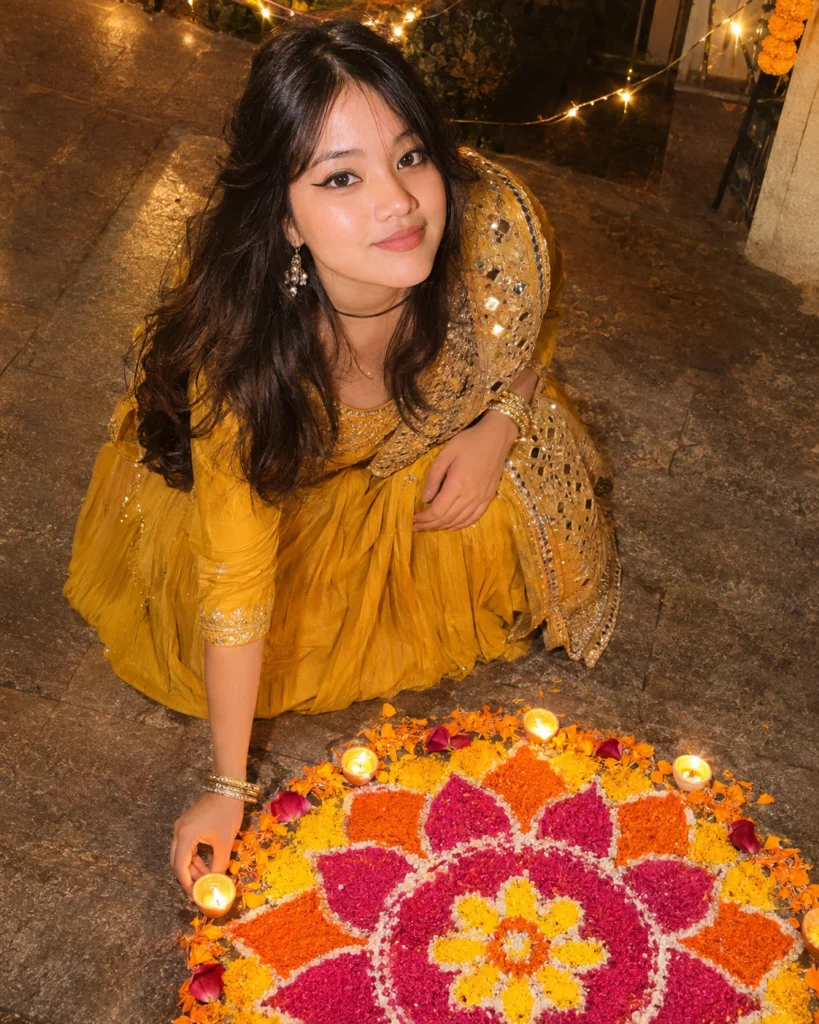
Keep my face, features and expression from the uploaded photo exactly as they are. Create a top-down photo of me kneeling beside a large, freshly made rangoli in pink, orange and yellow, with marigold petals and small diyas placed around its edge. I wear a mustard yellow anarkali with a mirror-work dupatta over one shoulder, and I am placing the last diya while smiling up at the camera. Night setting, lit by the diyas and a string of warm fairy lights. Crisp detail on the coloured powder, soft shadows, vertical 4:5, realistic photo.
Tip: Top-down shots come out best when your uploaded photo faces the camera in good light.
3. Velvet Lehenga on the Balcony
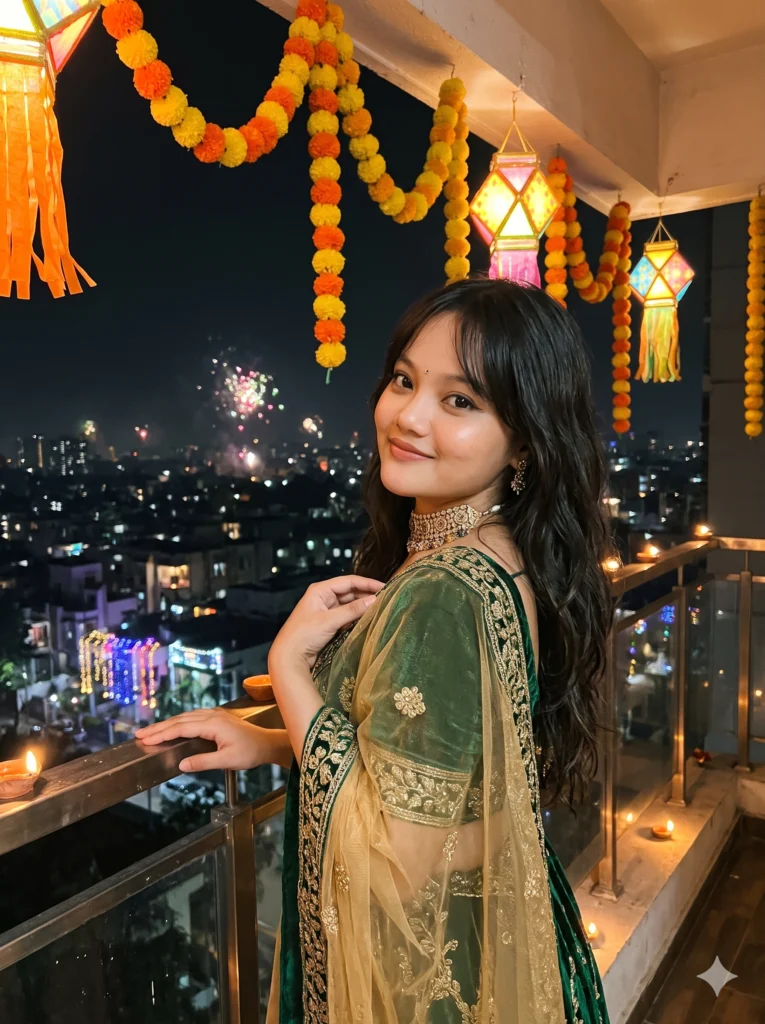
Using my uploaded photo, keep my face and identity unchanged. Show me on a balcony decorated with marigold garlands and paper lanterns on Diwali night, wearing an emerald green velvet lehenga with gold embroidery, a sheer gold dupatta and a statement choker. One hand rests on the railing and the other holds the dupatta; I look back over my shoulder at the camera with a soft smile. Behind me the city sparkles with house lights and distant fireworks, softly blurred. Warm lantern light on my face, 50mm lens, shallow depth of field, vertical 3:4, photorealistic.
Tip: Swap “emerald green” for wine, royal blue or pastel pink to match your own outfit.
4. Phuljhadi Sparkler Candid
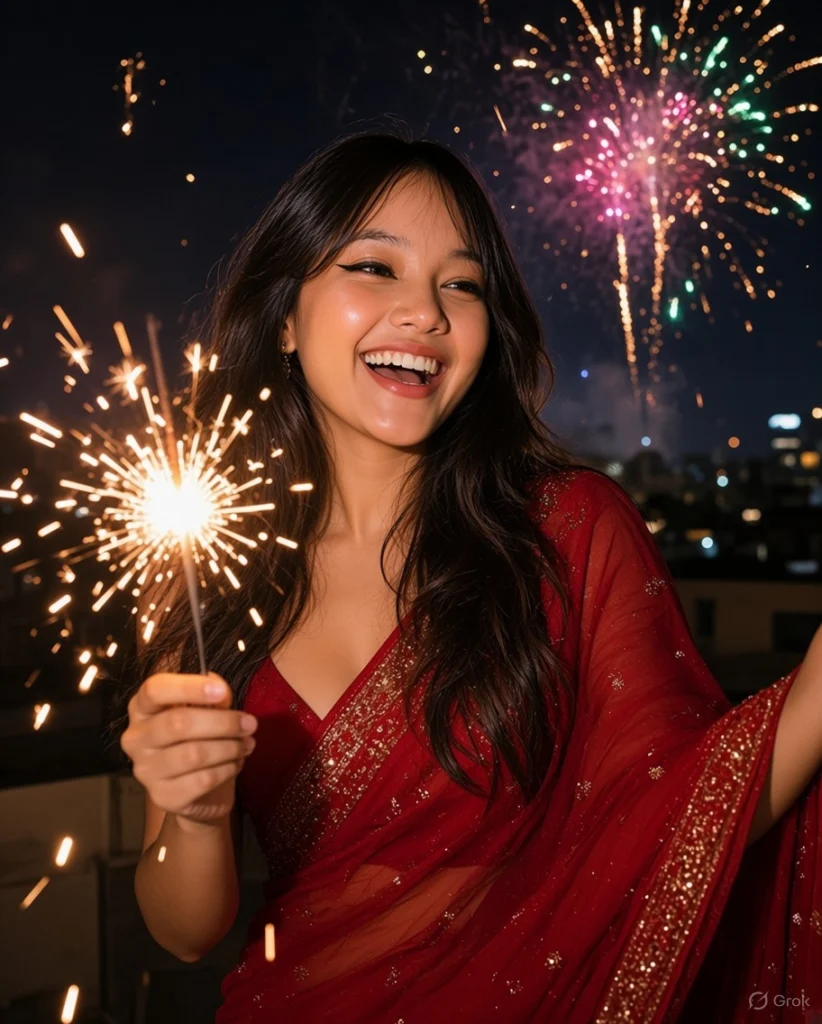
Take my face from the uploaded photo and keep it exactly the same, including my skin tone. Create a candid photo of me laughing while holding a lit phuljhadi sparkler on a rooftop on Diwali night. I wear a red georgette saree with a sequinned border, the pallu lifting slightly in the breeze, hair open in soft waves. The sparkler lights my face from below and throws bright streaks; behind me is a dark sky with colourful fireworks far away. Sharp focus on my face, slight motion in the sparks, natural night-photo grain, vertical 4:5.
Tip: Add “long-exposure sparkler trails around me” for swirls of light.
5. Pooja Thali Portrait

Use the uploaded image to keep my exact face, eyes and hairline. Create a close-up portrait of me holding a decorated brass pooja thali at chest height, with a lit diya, kumkum, rice and marigold petals on it. I wear a cream and gold kasavu saree with jasmine flowers in a low bun. Background: a softly lit home temple with brass bells and lamps, out of focus. Warm diya light on one side of my face and a gentle shadow on the other, calm and graceful expression. 85mm portrait look, vertical 2:3, highly detailed, realistic skin.
Tip: For a brighter photo, add “soft fill light from the front, no harsh shadows”.
6. Lantern Market Walk
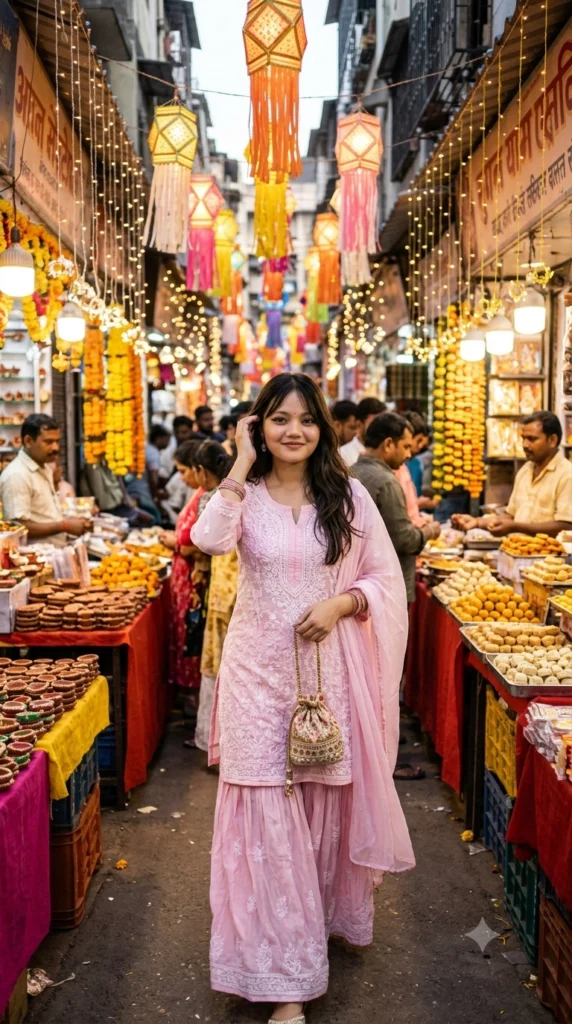
Keep my face from the uploaded photo exactly the same. Show me walking toward the camera through a narrow market lane decorated for Diwali, with hundreds of lanterns and fairy lights overhead and stalls of diyas and sweets on both sides. I wear a pastel pink chikankari kurta with a matching sharara and a light dupatta, holding a small potli bag. Mid-step, relaxed smile, hair tucked behind one ear. The crowd behind me is softly blurred with glowing bokeh. Vibrant but natural colours, 35mm street-photo look, vertical 9:16.
Tip: 9:16 fits Instagram Stories and Reels covers; ask for 4:5 for a feed post.
7. Diya on the Window Sill
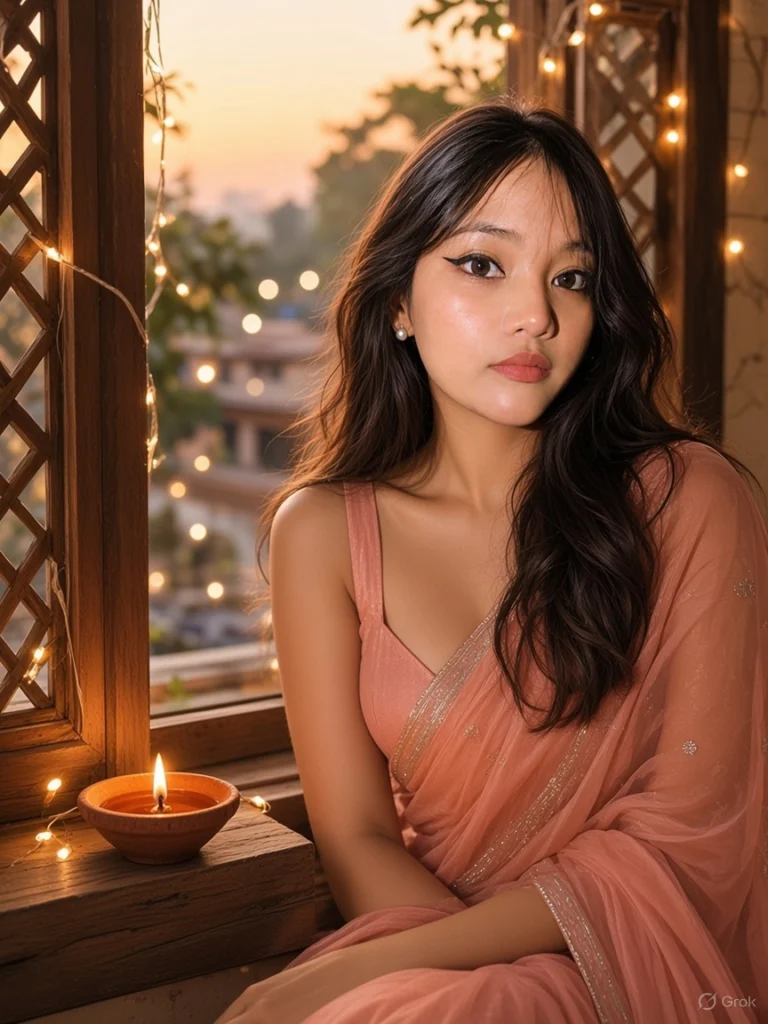
Use the uploaded photo for my face and keep every facial detail unchanged. Create a portrait of me sitting by an open wooden window at dusk on Diwali, placing a lit diya on the windowsill. I wear a peach organza saree with a fine silver border and a sleeveless blouse, minimal makeup and small pearl studs. Soft golden-hour light from outside mixes with the warm flame, and a string of tiny lights frames the window. Dreamy, airy mood, soft film-like colours, vertical 3:4, photorealistic.
Tip: Add “soft film colour, slightly faded” for an even dreamier look.
8. Mithai Box Smile
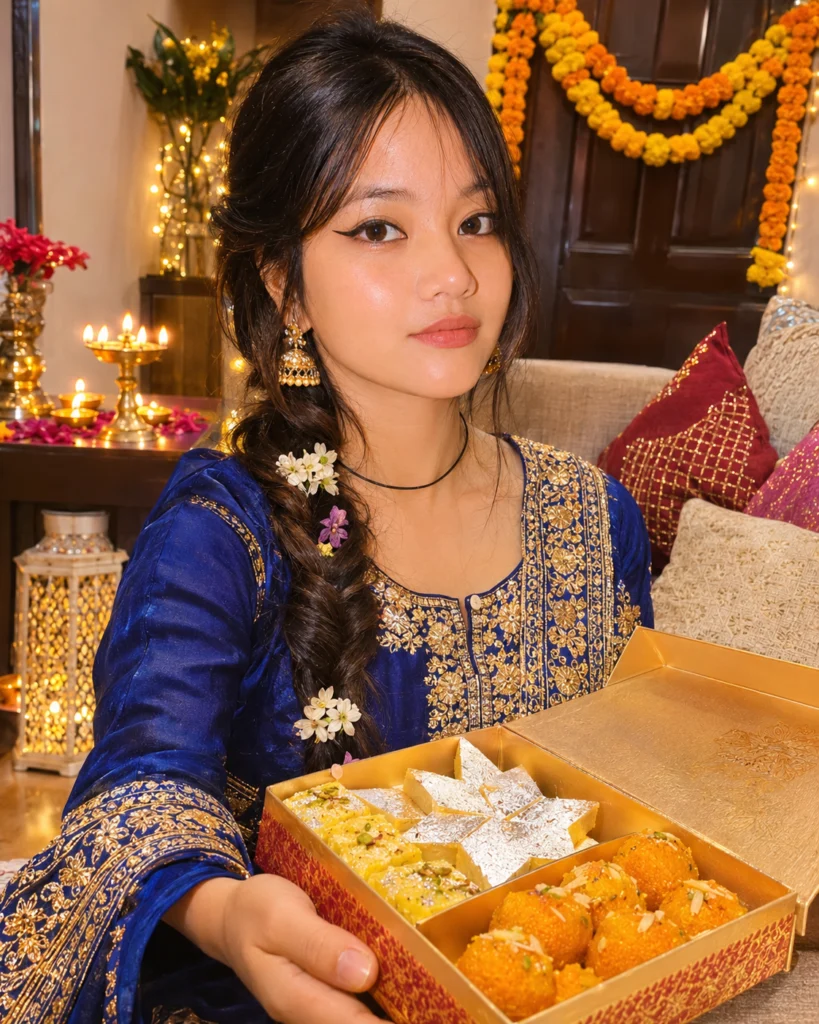
Keep my face, smile and features exactly as in the uploaded photo. Show me in a festive living room on Diwali, holding an open box of colourful mithai, with kaju katli, ladoos and barfi, toward the camera as if offering one. I wear a royal blue silk kurta set with gold embroidery and gold jhumkas, hair in a neat side braid with small flowers. Background: a decorated sofa corner, a marigold toran on the door, fairy lights and diyas on a side table, softly blurred. Bright, cheerful, warm light, sharp focus on my face and the sweets, vertical 4:5, realistic.
Tip: Change the sweets to your family’s favourites to make the photo feel like yours.
Saree and lehenga colour ideas for Diwali photos
Diwali light is warm, so rich jewel colours photograph beautifully.
Maroon, gold and emerald
Banarasi silk in maroon or emerald with gold zari glows next to diyas and fairy lights.
Pastels for daytime
Soft pink, mint or ivory lehengas suit rangoli and daytime puja photos with natural light.
Jewellery that frames the face
Jhumkas, a small maang tikka or a choker add sparkle without hiding your features.
Tips for better results
- Upload one clear photo: face the camera, daylight or soft indoor light, no filters or sunglasses.
- Change one thing at a time when you edit, for example “make the saree deep maroon”.
- Name colours exactly (“emerald green”, “wine red”) for outfits that match your plans.
- If the app changes your face, reply “keep my face exactly as in the uploaded photo” and generate again.
Frequently asked questions
Which app is best for Diwali photo prompts?
Gemini (Nano Banana) is popular because it usually keeps faces close to the original photo. ChatGPT handles busy scenes like rangoli well, and Grok is quick for candid night shots. Try the same prompt in two apps and keep the one you like.
Will the AI change my face?
It can. Every prompt here tells the app to keep your face unchanged, and a sharp, front-facing photo in good light helps most. If your face still changes, ask the app to keep it exactly as in your photo and try again.
Can I post these photos on Instagram?
Yes. Ask for 4:5 for a feed post or 9:16 for Stories and Reels. You can change the ratio at the end of any prompt.