Diwali 3D Avatar and DP Prompts (2026): 10 Cartoon and Profile Picture Looks for Gemini, ChatGPT and Grok
Not every Diwali photo has to be a full portrait. Some of the most shared images of the festival are cute 3D animated avatars and clean profile pictures for WhatsApp, Instagram and Facebook. These 10 Diwali 3D avatar and DP prompts give you both: five 3D cartoon-style scenes and five square profile pictures made to fit a round crop.
Upload one clear photo of yourself, of the two of you or of your family. The 3D prompts keep your face recognisable while turning it into an animated-film style, and the DP prompts keep your face exactly the same. All of them work in Gemini (Nano Banana), ChatGPT and Grok.
How to use these prompts
- Tap Copy prompt under the 3D avatar or DP you like.
- Open Gemini, ChatGPT or Grok and upload a clear photo.
- Paste the prompt and send it.
- For a DP, crop the square image to a circle in your app and check your face stays centred.
10 Diwali 3D avatar and DP prompts
Video tutorial: how to use these prompts
1. 3D Diya Girl Avatar

Use my uploaded photo and keep my face, features, skin tone and hairstyle recognisably the same. Translate my real face shape, eyes, nose, lips, jawline and age faithfully into the 3D style, and do not replace my face or change my age or body proportions. Create a vertical 4:5 high-detail 3D animated-film-style render of me as a Diwali character, with slightly larger expressive eyes, soft rounded features and polished cinematic shading. I am wearing a bright pink silk lehenga with a gold border and tiny mirror work, a matching short-sleeve blouse and an orange dupatta draped over one shoulder, with gold jhumkas, a small maang tikka, stacked pink and gold bangles and a tiny bindi, with my hair in a thick braid tied with a marigold string. I sit on the edge of a decorated courtyard step, holding a glowing clay diya in both hands near my face and smiling brightly at the camera with sparkling eyes. Around me is a stylised festive courtyard with a big colourful flower rangoli, rows of glowing diyas, marigold torans on a carved doorway and soft round fairy-light bokeh. The light is warm golden from the diya lighting my face from below, with a soft blue night ambience and gentle glow on the fabric. Rendered with a 50mm camera look at eye level, three-quarter framing with me centred and the rangoli in the foreground. Colour palette of pink, orange, gold and deep blue; mood cheerful, magical and festive. Smooth high-quality 3D shading, soft realistic skin, detailed fabric and jewellery, sharp focus on the eyes; no text, no watermark, no extra people, no distorted hands or fingers, and my face clearly recognisable as in the uploaded photo.
Tip: Ask for a softer clay-toy 3D style if you want a cuter, rounder look.
2. 3D Rooftop Fireworks Boy Avatar
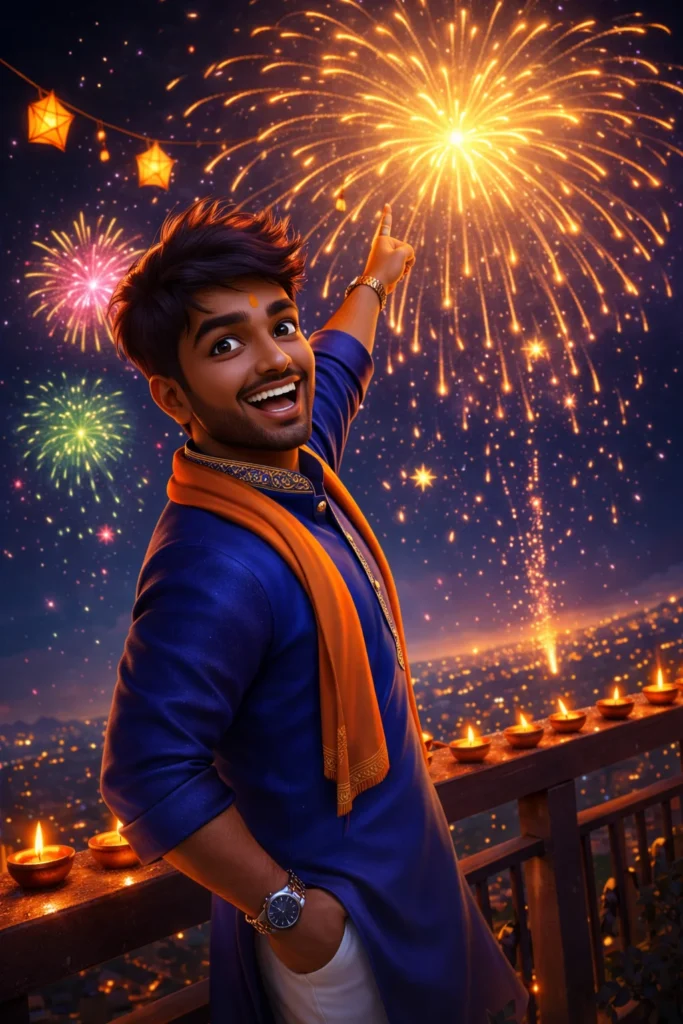
Use my uploaded photo and keep my face, features, skin tone and hairstyle recognisably the same. Translate my real face shape, eyes, nose, lips, jawline and age faithfully into the 3D style, and do not replace my face or change my age or body proportions. Create a vertical 4:5 high-detail 3D animated-film-style render of me as a Diwali character on a rooftop under fireworks, with expressive eyes, clean stylised features and rich cinematic shading. I am wearing a royal blue silk kurta with gold buttons and gold embroidery on the collar, white churidar and tan mojaris, with a small orange stole around my neck, a steel watch and neatly styled hair. I stand at the rooftop railing with one arm raised, pointing up at a huge burst of fireworks, and look back at the camera with a big excited grin. Above me the night sky explodes with golden, pink and green fireworks, a row of glowing clay diyas runs along the railing, star-shaped paper lanterns hang from a string and a stylised city skyline twinkles below. The light is the colourful glow of the fireworks with a warm rim light on my hair and shoulders and a soft warm fill from the diyas on my face. Rendered with a 35mm camera look from a slightly low angle, three-quarter framing with me on the left third and the fireworks filling the sky on the right. Colour palette of royal blue, gold, firework pink and deep navy; mood excited, joyful and cinematic. Smooth high-quality 3D shading, soft realistic skin, detailed fabric and jewellery, sharp focus on the eyes; no text, no watermark, no extra people, no distorted hands or fingers, and my face clearly recognisable as in the uploaded photo.
Tip: Change the kurta to bright yellow for a more playful animated look.
3. 3D Couple Lighting Lanterns
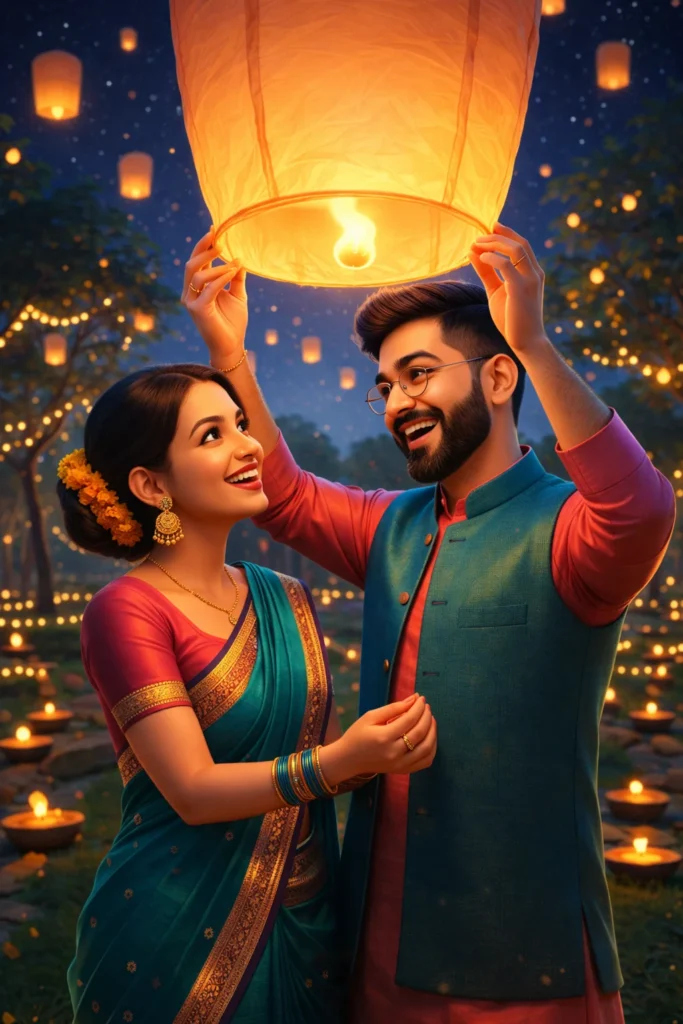
Use the uploaded photo of the two of us and keep both faces, features and skin tones recognisably the same. Translate each person's real face shape, eyes, nose, lips and age faithfully into the 3D style, and do not swap or replace any face. Create a vertical 4:5 high-detail 3D animated-film-style render of the two of us as Diwali characters releasing a paper lantern together, with expressive eyes, soft stylised features and polished cinematic shading. The woman wears a teal silk saree with a pink and gold border, a pink blouse, gold jhumkas, teal and gold bangles and her hair in a bun with a few marigolds. The man wears a pink silk kurta that matches her border, a cream churidar and a teal Nehru jacket, with neatly styled hair, so our outfits coordinate in teal, pink and gold. We stand close together on a garden lawn, both holding the base of a large glowing paper sky lantern just above our heads, looking at each other and laughing as it begins to float up. Around us other glowing lanterns drift into a starry sky, strings of fairy lights hang between stylised trees and clay diyas line a winding path. The light is the warm orange glow of the lantern on both faces with a cool blue night sky and soft golden bokeh everywhere. Rendered with a 50mm camera look at eye level, waist-up framing with both of us centred and the lantern at the top of the frame. Colour palette of teal, pink, warm orange and midnight blue; mood romantic, dreamy and joyful. Smooth high-quality 3D shading, soft realistic skin, detailed fabric and jewellery, sharp focus on the eyes; no text, no watermark, no extra or missing people, no distorted hands or fingers, and every face clearly recognisable as in the uploaded photo.
Tip: Ask for the couple sitting on a moonlit bench instead for a calmer scene.
4. 3D Family Living Room Diwali

Use the uploaded family photo and keep every face, feature and skin tone recognisably the same. Translate every person's real face shape, age and height difference faithfully into the 3D style, do not swap or replace any face, and do not add or remove anyone. Create a vertical 4:5 high-detail 3D animated-film-style render of our family as Diwali characters in our decorated living room, with expressive eyes, warm stylised features and polished cinematic shading. The women wear orange and gold silk sarees or suits with gold jewellery, the men wear cream kurtas with orange stoles, and any children wear simple yellow festive outfits, so the family coordinates in orange, cream and gold. We sit together on a big cushioned sofa and the floor in front of it, laughing and looking at the camera, with one adult holding a plate of laddoos and any children holding small painted unlit diyas. Around us the room is full of glowing clay diyas on shelves, marigold garlands on the windows, a big flower rangoli on the floor, a hanging paper lantern and warm fairy lights along the walls. The light is warm golden from the diyas and fairy lights with a soft frontal fill so every face is clear and gentle bokeh behind. Rendered with a 35mm camera look at chest height, full-length group framing with the rangoli in the foreground. Colour palette of orange, cream, gold and warm brown; mood cosy, cheerful and together. Smooth high-quality 3D shading, soft realistic skin, detailed fabric and jewellery, sharp focus on the eyes; no text, no watermark, no extra or missing people, no distorted hands or fingers, and every face clearly recognisable as in the uploaded photo.
Tip: Ask for the family on a balcony with fireworks behind for a brighter night scene.
5. 3D Sweets Shop Boy Avatar

Use my uploaded photo and keep my face, features, skin tone and hairstyle recognisably the same. Translate my real face shape, eyes, nose, lips, jawline and age faithfully into the 3D style, and do not replace my face or change my age or body proportions. Create a vertical 4:5 high-detail 3D animated-film-style render of me as a Diwali character at a festive sweets shop, with expressive eyes, playful stylised features and rich cinematic shading. I am wearing a mint-green cotton kurta with white embroidery, white pyjamas and a sleeveless maroon Nehru jacket with gold buttons, with a black thread on my wrist and slightly messy styled hair. I stand in front of a glass counter holding a big gold-and-red box of laddoos in one hand and a single laddoo in the other, about to take a bite, with a cheeky smile and raised eyebrows aimed at the camera. Behind me, glass jars and trays are stacked with colourful barfi, jalebi, kaju katli and laddoos, marigold garlands hang across the shop front and paper lanterns glow above. The light is warm and bright from the shop bulbs with a soft fill on my face and a gentle golden glow on the sweets. Rendered with a 50mm camera look at eye level, waist-up framing with me centred and the sweets counter filling the background. Colour palette of mint green, maroon, gold and sweet orange; mood playful, fun and festive. Smooth high-quality 3D shading, soft realistic skin, detailed fabric and jewellery, sharp focus on the eyes; no text, no watermark, no extra people, no distorted hands or fingers, and my face clearly recognisable as in the uploaded photo.
Tip: Swap the sweets for a box of colourful clay diyas for a different prop.
6. Diya Glow Profile Picture

Use my uploaded photo and keep my face, features, skin tone and hairstyle exactly the same. Do not change my face shape, eyes, nose, lips, jawline, age or body proportions, and do not beautify, smooth or replace my face. Create a square 1:1 ultra-photorealistic Diwali profile picture of me, framed as a tight head-and-shoulders portrait that still looks good inside a circle crop. I am wearing a deep maroon silk saree with a thin gold border, the pallu draped over one shoulder, with small gold jhumkas, a thin gold nose ring, a tiny red bindi and soft kajal, with my hair neatly tucked behind my ears. My face is centred in the frame, turned slightly to one side, with a gentle, confident smile and my eyes looking straight into the camera. I hold a lit clay diya just below my chin so its warm flame lights my face from below. The background is a soft dark warm brown with a few out-of-focus golden diya lights scattered behind my head. The light is the warm diya glow from below with a soft key light from the front so my face is evenly lit and clear, with tiny catchlights in my eyes. Shot on an 85mm lens at f/2 at eye level, head-and-shoulders framing with my face perfectly centred and space around the head for a round crop. Colour palette of maroon, gold, amber and warm brown; mood warm, calm and elegant. Natural skin texture, realistic fabric folds and jewellery shine, sharp focus on the eyes, high detail; no text, no watermark, no extra people, no distorted hands or fingers, and my face exactly as in the uploaded photo.
Tip: Ask for a pure black background behind your face for a cleaner circle crop.
7. Marigold Frame Profile Picture

Use my uploaded photo and keep my face, features, skin tone and hairstyle exactly the same. Do not change my face shape, eyes, nose, lips, jawline, age or body proportions, and do not beautify, smooth or replace my face. Create a square 1:1 ultra-photorealistic Diwali profile picture of me, framed as a head-and-shoulders portrait designed for a circle crop. I am wearing a mustard-yellow silk kurta with a band collar and small gold buttons, with a thin maroon stole around my neck, a neat beard and well-styled hair. My face is centred in the frame and turned straight toward the camera with a warm, friendly smile. A soft ring of fresh orange and yellow marigold flowers circles my head and shoulders in the background, slightly out of focus, like a natural round frame, and behind the marigolds is a warm cream wall with a faint glow of diyas. The light is soft warm daylight from the front with a gentle golden rim on my hair, even and flattering, with clear catchlights in my eyes and a little warmth on my cheeks. Shot on an 85mm lens at f/2.2 at eye level, head-and-shoulders framing with my face perfectly centred and space around the head for a round crop. Colour palette of mustard, marigold orange, maroon and cream; mood friendly, bright and festive. Natural skin texture, realistic fabric folds and jewellery shine, sharp focus on the eyes, high detail; no text, no watermark, no extra people, no distorted hands or fingers, and my face exactly as in the uploaded photo.
Tip: Change the marigolds to white jasmine for a softer frame.
8. Fairy Light Bokeh Profile Picture
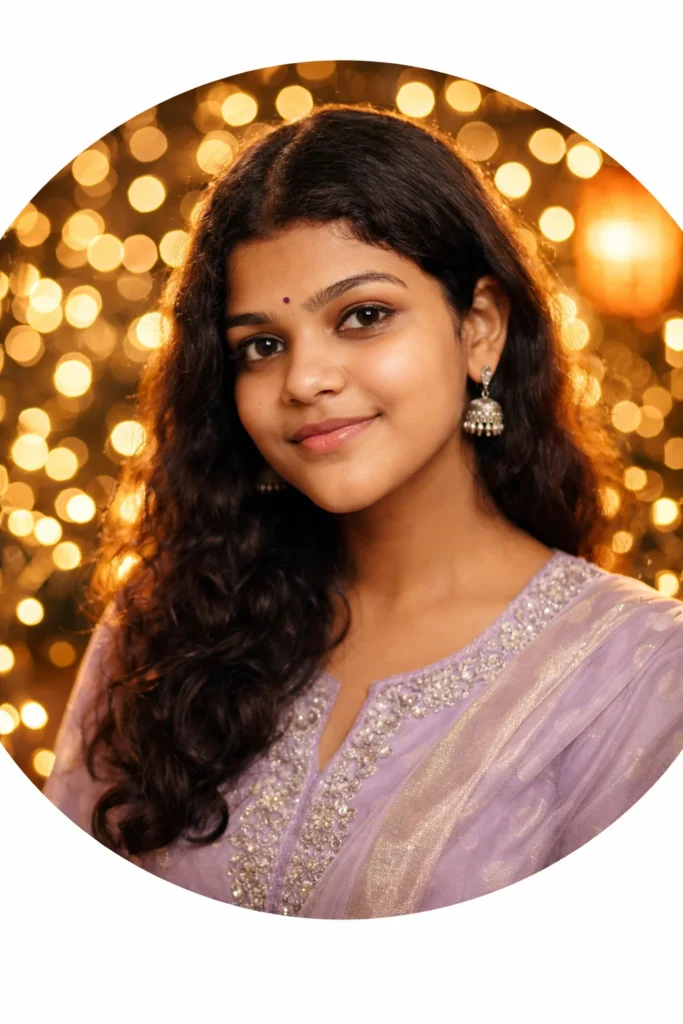
Use my uploaded photo and keep my face, features, skin tone and hairstyle exactly the same. Do not change my face shape, eyes, nose, lips, jawline, age or body proportions, and do not beautify, smooth or replace my face. Create a square 1:1 ultra-photorealistic Diwali profile picture of me with dreamy fairy-light bokeh, framed as a head-and-shoulders portrait for a circle crop. I am wearing a lilac organza kurta with silver embroidery on the neckline and a sheer silver dupatta over one shoulder, with silver jhumkas, a tiny purple bindi and soft dewy makeup, with my hair in loose waves over one shoulder. My face is centred, tilted very slightly, with a soft happy smile and my eyes looking into the camera. Behind me hundreds of warm golden fairy lights blur into big round bokeh circles, with a hint of a paper lantern glowing at one side. The light is a soft warm key light from the front with the fairy lights creating a golden rim on my hair, even and flattering, with sparkles reflected in my eyes. Shot on an 85mm lens at f/1.4 at eye level, head-and-shoulders framing with my face perfectly centred and space around the head for a round crop. Colour palette of lilac, silver, warm gold and soft cream; mood dreamy, soft and glowing. Natural skin texture, realistic fabric folds and jewellery shine, sharp focus on the eyes, high detail; no text, no watermark, no extra people, no distorted hands or fingers, and my face exactly as in the uploaded photo.
Tip: Ask for pink fairy lights instead of gold for a softer, pastel DP.
9. Dark Moody Kurta Profile Picture

Use my uploaded photo and keep my face, features, skin tone and hairstyle exactly the same. Do not change my face shape, eyes, nose, lips, jawline, age or body proportions, and do not beautify, smooth or replace my face. Create a square 1:1 ultra-photorealistic moody Diwali profile picture of me, framed as a head-and-shoulders portrait for a circle crop. I am wearing a black silk kurta with fine gold thread embroidery on the collar and a small gold button at the neck, with a thin gold chain, a neat beard and well-styled hair. My face is centred and turned slightly to one side, with a calm, confident expression and my eyes looking straight into the camera. The background is deep black with a few soft golden diya lights blurred behind one shoulder and a faint warm haze. The light is a single warm key light from the side, like light from a big diya, sculpting my face with soft shadows, plus a subtle golden rim on my hair and beard, with clear catchlights in my eyes. Shot on an 85mm lens at f/1.8 at eye level, head-and-shoulders framing with my face perfectly centred and space around the head for a round crop. Colour palette of black, gold, amber and deep brown; mood bold, calm and cinematic. Natural skin texture, realistic fabric folds and jewellery shine, sharp focus on the eyes, high detail; no text, no watermark, no extra people, no distorted hands or fingers, and my face exactly as in the uploaded photo.
Tip: Ask for a deep green kurta instead of black for a richer tone.
10. Couple Diya Profile Picture
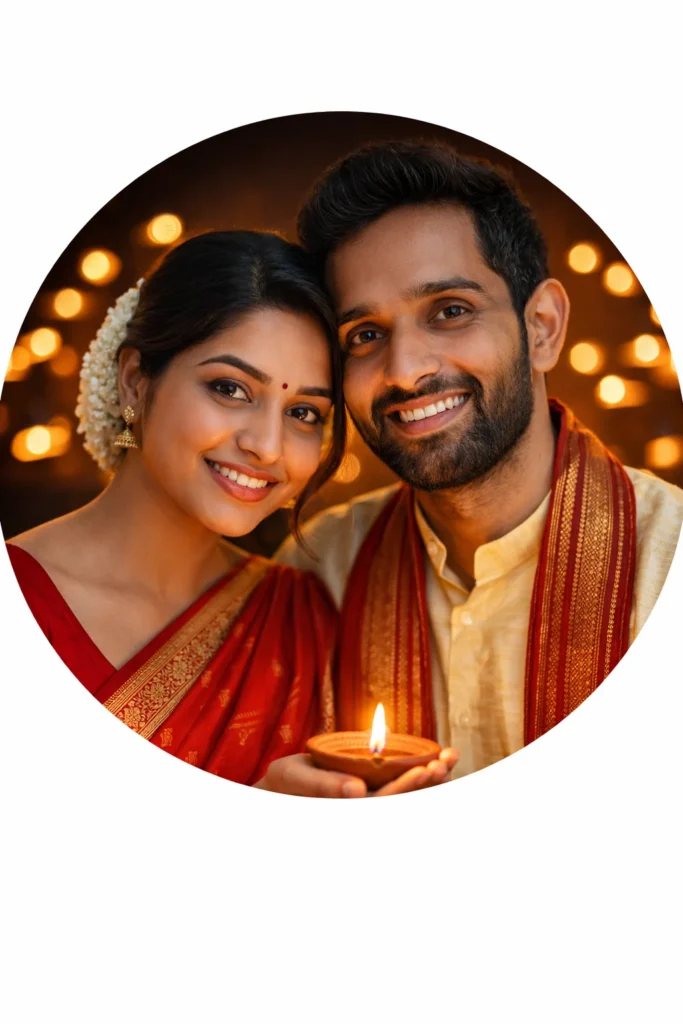
Use the uploaded photo of the two of us and keep both faces, features and skin tones exactly the same. Do not change either person's face shape, eyes, nose, lips, age or body proportions, and do not beautify, smooth, swap or replace any face. Create a square 1:1 ultra-photorealistic Diwali couple profile picture of the two of us, framed as a close head-and-shoulders portrait that works inside a circle crop. The woman wears a red silk saree with a gold border, the pallu over one shoulder, small gold jhumkas, a tiny red bindi and her hair in a neat bun with jasmine. The man wears a cream silk kurta with a red stole that matches her saree, with neatly styled hair, so our outfits coordinate in red, cream and gold. Our faces are close together in the centre of the frame, her head gently resting near his shoulder, both smiling warmly at the camera. Between us at the bottom of the frame she holds a small lit clay diya that softly lights both our faces from below. The background is a warm dark brown with golden diya bokeh behind our heads. The light is the warm diya glow from below with a soft frontal key light so both faces are evenly lit and clear, with catchlights in our eyes. Shot on an 85mm lens at f/2.2 at eye level, tight head-and-shoulders framing with both faces centred and space around our heads for a round crop. Colour palette of red, cream, gold and warm brown; mood loving, warm and festive. Natural skin texture, realistic fabric folds and jewellery shine, sharp focus on the eyes, high detail; no text, no watermark, no extra or missing people, no distorted hands or fingers, and every face exactly as in the uploaded photo.
Tip: Use the same prompt for a shared couple DP on both of your accounts.
Outfit and colour ideas for avatars and DPs
Avatars and profile pictures are seen very small, so bold colours and a simple background matter more than fine detail.
Bright colours for 3D avatars
Pink, royal blue, teal and mint read clearly in a 3D style and look cheerful next to glowing diyas and fireworks.
One strong colour for a DP
For a profile picture, pick one rich colour like maroon, mustard or black and keep the background dark or plain so your face stands out in the circle.
Matching couple DPs
If you both want a festive DP, use the couple prompt or run the same single prompt on each photo with matching outfit colours.
Tips for better results
- Use a sharp, front-facing photo; 3D styles need clear features to stay recognisable.
- If the 3D face looks too different, reply with “keep my face more like the photo”.
- For DPs, keep your face in the middle of the uploaded photo too.
- Download the image in full size before cropping it for your profile.
More Diwali prompts
See every look on the Diwali image prompts hub. Want a wish with your name? Try our Diwali wishes photo prompts. For realistic portraits, see top 5 viral Diwali AI photo prompts, Diwali photo prompts for girls, Diwali photo prompts for boys, Diwali couple photo prompts and Diwali family photo prompts.
Frequently asked questions
Are these Diwali 3D avatar and DP prompts free?
Yes. All 10 prompts are free to copy and use. Gemini, ChatGPT and Grok may limit how many images you can create on a free plan.
Will the 3D avatar still look like me?
The prompts ask the app to keep your face shape, features and skin tone recognisable in the 3D style. Results vary by app, so try two or three versions and keep the one that looks most like you.
What size should a profile picture be?
The DP prompts ask for a square 1:1 image with your face centred, which works for WhatsApp, Instagram and Facebook. Leave some space around your head so nothing is cut off in the circle.
Can I make a 3D avatar of my family?
Yes. Use the family prompt with one photo where everyone is clearly visible, and mention how many people are in it so nobody is added or left out.
More Diwali prompts
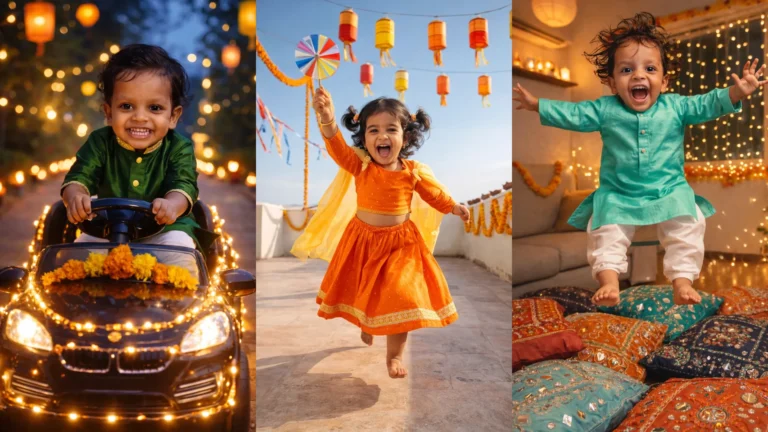 Diwali Snapchat Photo Prompts for Kids (2026): 4 Spotlight and 4 Story Looks for Gemini, ChatGPT and Grok
 Diwali Snapchat Family Photo Prompts (2026): 4 Spotlight and 4 Story Looks for Gemini, ChatGPT and Grok
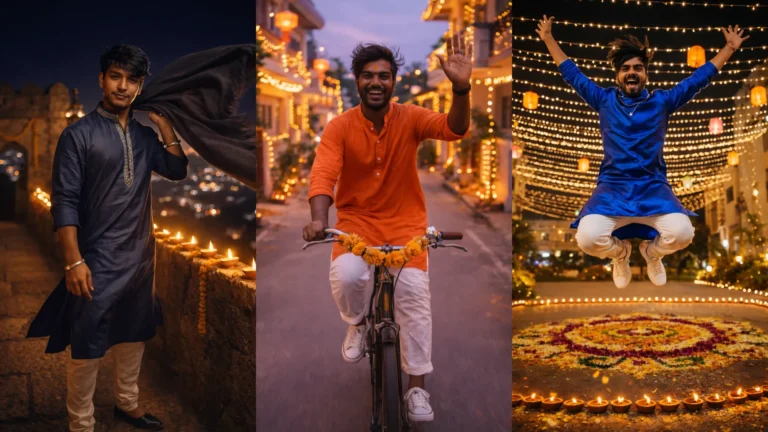 Diwali Snapchat Photo Prompts for Boys (2026): 4 Spotlight and 4 Story Looks for Gemini, ChatGPT and Grok
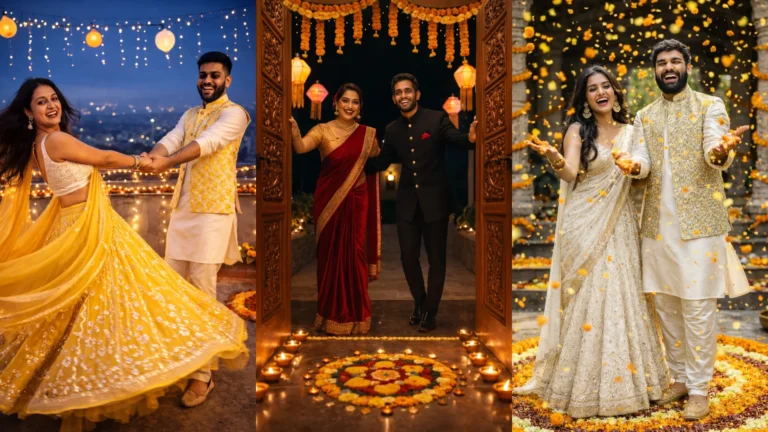 Diwali Snapchat Couple Photo Prompts (2026): 4 Spotlight and 4 Story Looks for Gemini, ChatGPT and Grok
 Diwali Snapchat Photo Prompts for Girls (2026): 4 Spotlight and 4 Story Looks for Gemini, ChatGPT and Grok
 Diwali Facebook Photo Prompts for Kids (2026): 4 Post and 4 Story Looks for Gemini, ChatGPT and Grok